Works with Sage Accounting
Your jobs in Ringvox. Your accounts in Sage. No typing it twice.
Ringvox’s AI answers the call and puts the job on your board. When it’s time to quote and invoice, make it in Sage straight from the job, with your own Sage prices, VAT and numbering.
Included in €59 a month plus VAT. Connect it once in Settings, in about a minute.
How it works
From the job to Sage in three steps.
- 1
Make the Sage quote from the job
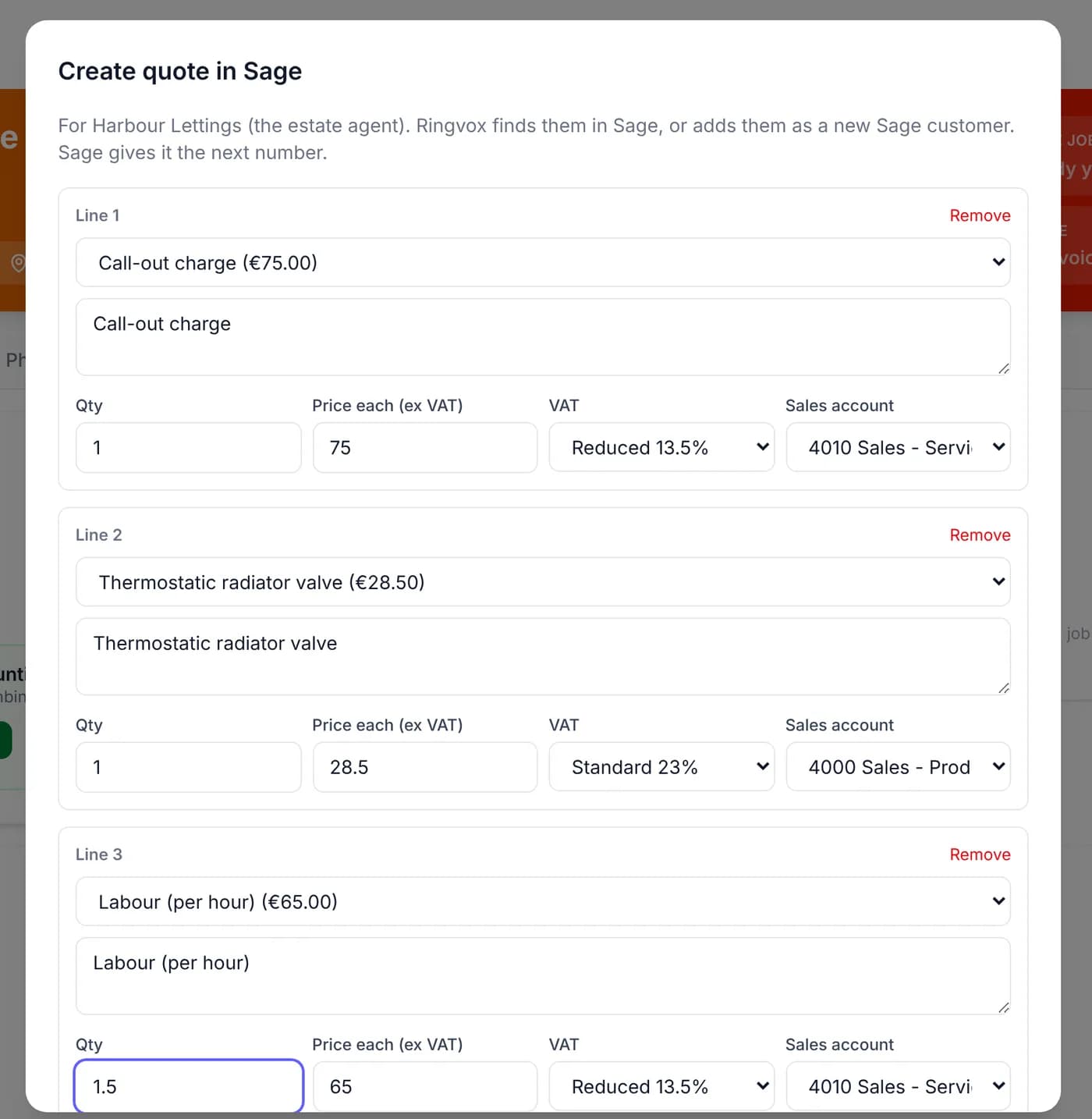
Pick the lines from your own Sage products and services, with your Sage VAT rates and sales accounts. Sage gives it the next quote number, and the customer is found in Sage or added as a new contact. Email Sage’s own PDF of the quote to the customer, straight from Ringvox.
- 2
Turn it into the Sage invoice, with the photos
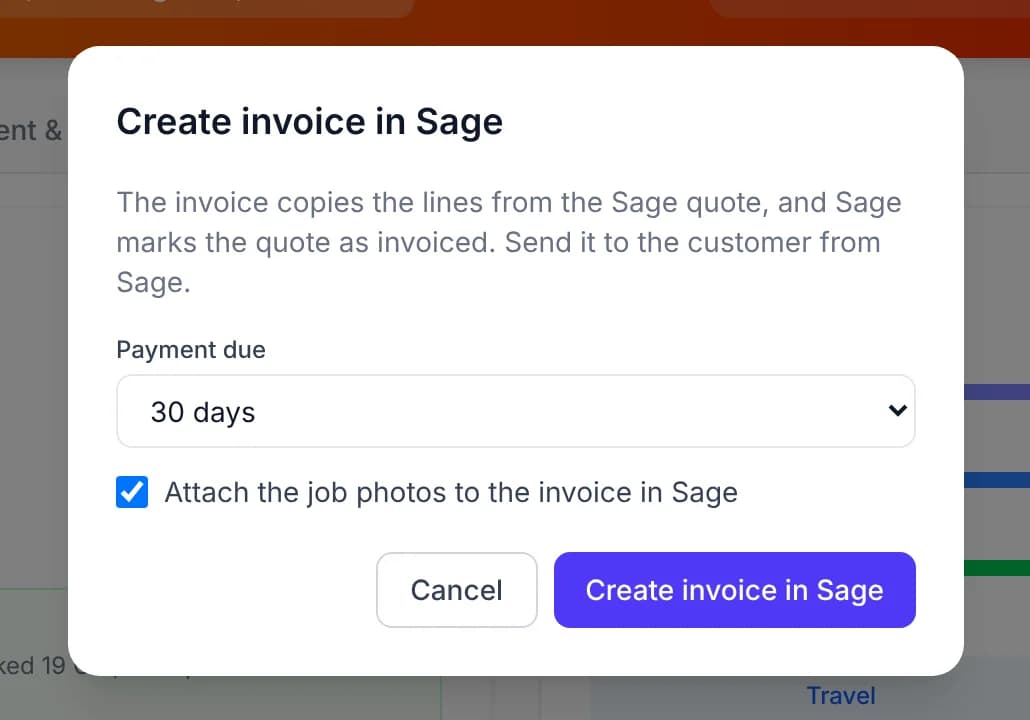
When the job is done, one click makes the Sage invoice from the quote’s lines and links the two, so Sage shows the quote as invoiced. Up to 10 job photos go onto the Sage invoice, which landlords and letting agents like. You then send it from Sage, as you do now.
- 3
See what’s paid on every job, without opening Sage
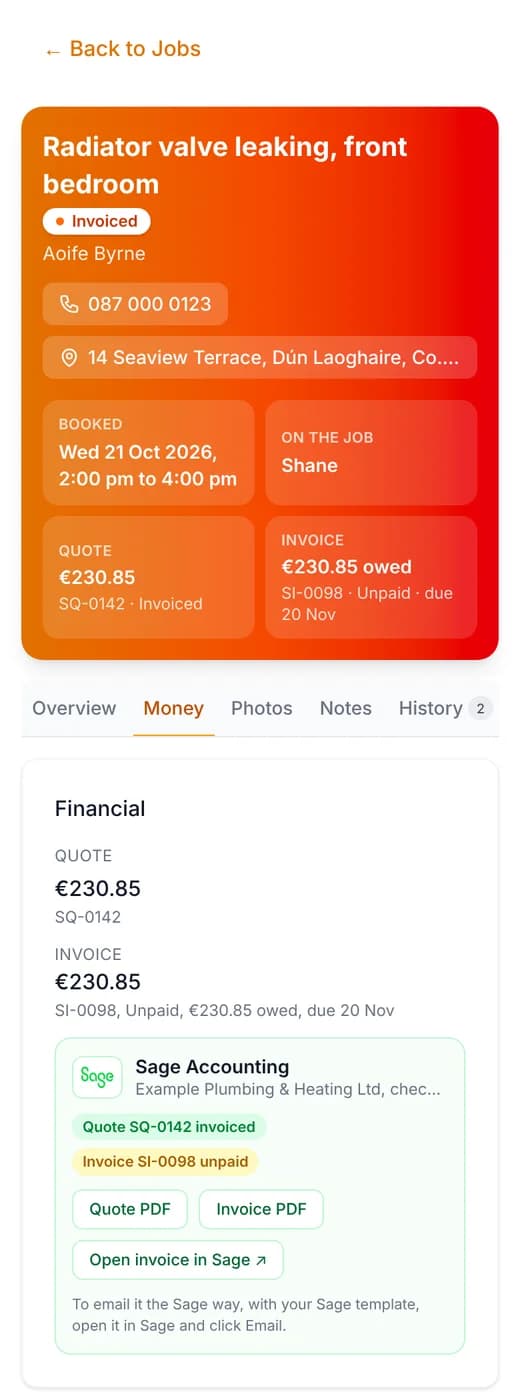
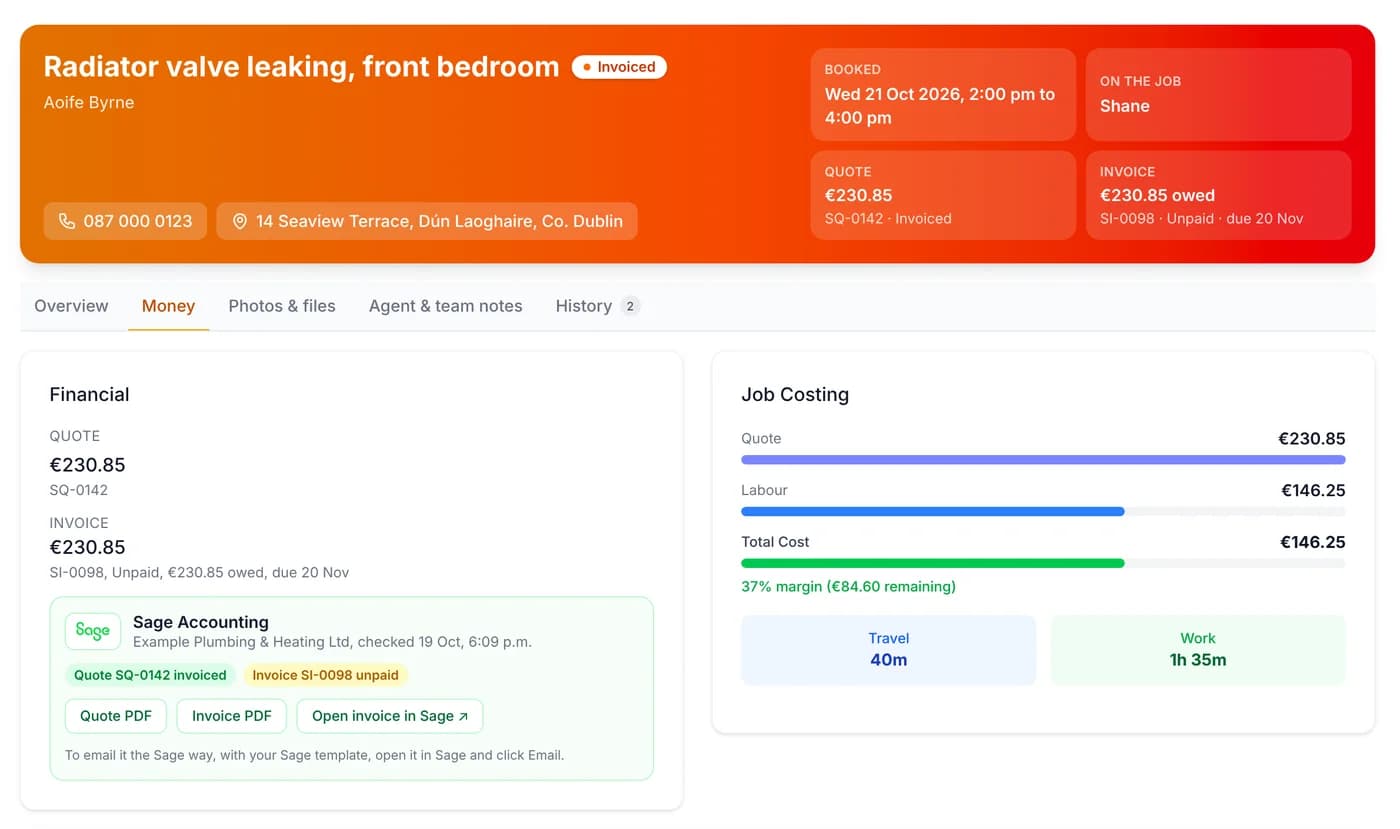
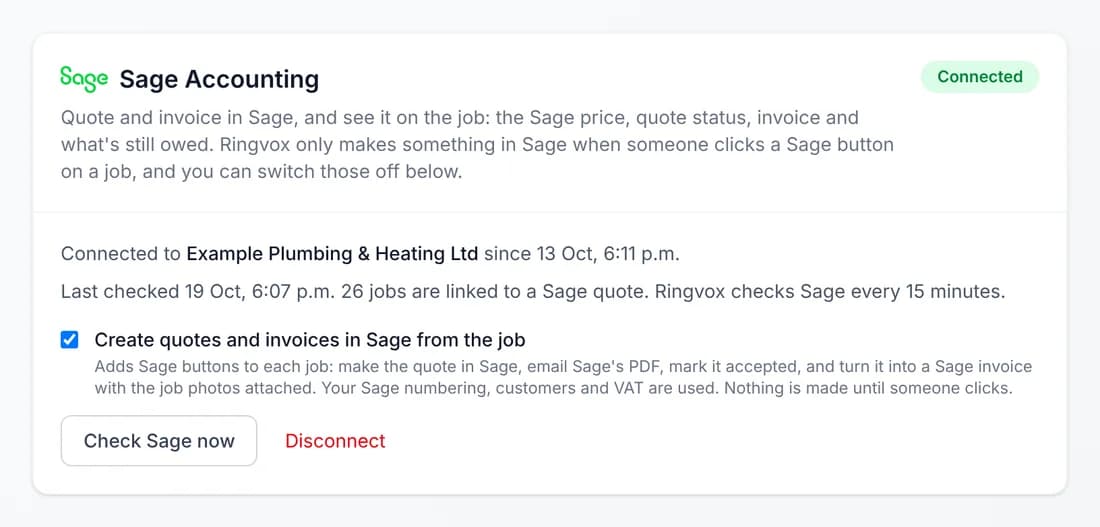
Ringvox checks Sage every 15 minutes. Each job shows the quote and whether it was accepted, the invoice, what’s still owed and when it’s due. Record the payment in Sage as you always do, and the job shows it as paid.
What goes where
Sage stays your accounts. Ringvox stops the double typing.
From Ringvox into Sage
Only when you click a Sage button on the job.
- A quote, with Sage’s next number, your Sage price list, VAT rates and sales accounts
- The customer, found in Sage or added as a new contact (on a letting agent’s job, the agent)
- Quote marked accepted in Sage when you mark it accepted in Ringvox
- The invoice, made from the quote and linked to it, with up to 10 job photos
From Sage back to Ringvox
Automatically, every 15 minutes.
- Quote total and status: pending, accepted, declined or invoiced
- Invoice number, total, what’s still owed, the due date, and paid, unpaid or overdue
- Quotes made directly in Sage, matched to their job by quote number
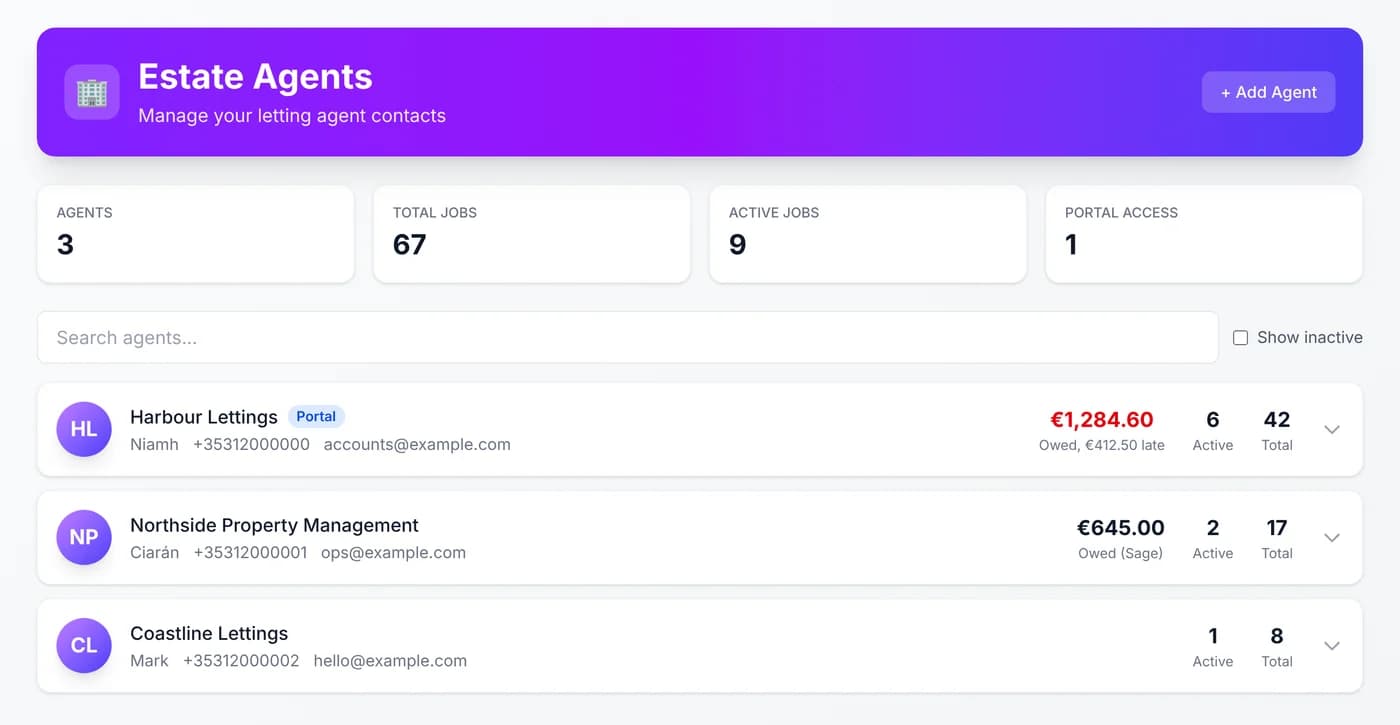
- What each letting agent owes you, with late amounts in red
See what each letting agent owes you.
Do work for letting agents? The Estate Agents page shows what each one owes on Sage invoices, with anything late in red. No more digging through Sage before you chase.
Connect it once
About a minute, in Settings.
- 1.In Ringvox, go to Settings, then Sage Accounting, and click Connect Sage.
- 2.Sign in to Sage and click Allow.
- 3.If your Sage login has more than one business, pick the one to use.
Only the owner or an admin can connect it, and you can disconnect it any time.
Good to know
The straight answers.
- Which Sage?
- Sage Accounting, Sage’s cloud accounting software for Ireland and the UK (it used to be called Sage Business Cloud Accounting). Sage 50, the desktop software, doesn’t work with Ringvox.
- Who sends the invoice?
- You do, from Sage. Sage doesn’t let other software send its invoices, so the Open in Sage button takes you straight there. Quotes can be emailed from Ringvox.
- Does it change anything in Sage on its own?
- No. Nothing is made in Sage until you click a Sage button on the job. It doesn’t copy all your Sage contacts into Ringvox, or all your Ringvox customers into Sage.
- What stays in Sage?
- Your accounts. Bank reconciliation, VAT returns, payroll and supplier bills are still done in Sage, by you or your accountant. Ringvox doesn’t take payments.
- Does it cost extra?
- No. It’s included in the €59 a month plus VAT, with the AI call answering and the full job platform. No add-on.
- Does it work with Xero or QuickBooks?
- Not yet. Sage Accounting is the only accounts package Ringvox connects to today.
Sage and Sage Accounting are trademarks of The Sage Group plc. Ringvox works with Sage Accounting but is not affiliated with, certified or endorsed by Sage. Screenshots use made-up demo data.
Every call answered. Every job straight into Sage.
The AI receptionist, the job board and Sage Accounting, for €59 a month plus VAT. 14 days free, no card needed.