How it works
From the first ring to getting paid.
Ringvox answers the calls you can’t get to, and every one becomes a job you can quote, book, do and invoice from your phone. Here’s one job, start to finish.
€59 a month plus VAT, everything included. Set up in less than 10 minutes, and we do it with you.
The life of a job
One job, six stages, one app.
Stage 1 · The call
Ringvox answers when you can’t
You’re up a ladder or under a sink and the phone rings. Ringvox answers as your business, in a natural Irish voice, and tells the caller it’s an AI assistant.
- Takes the name, number, Eircode and what the job is
- Flags anything urgent
- You can still answer any call yourself
phone rings → answered → details taken

Stage 2 · The job
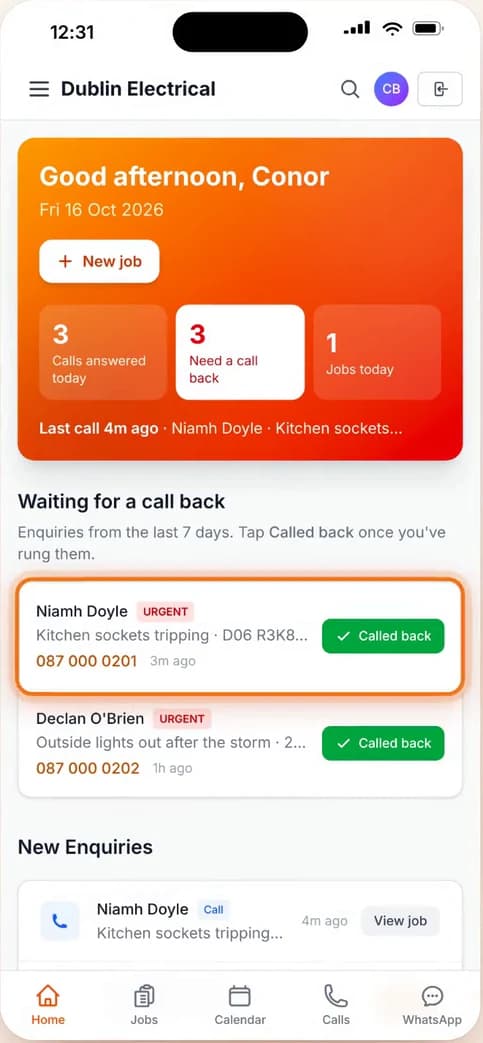
The job lands on your board
Straight after the call you get a WhatsApp and email summary, and the job is already waiting in New enquiries. No notes on the back of your hand.
- Caller, number and the job, all in one place
- See who needs a call back at a glance
- Every job in one list, from enquiry to paid
call ends → summary sent → new job
Stage 3 · The quote
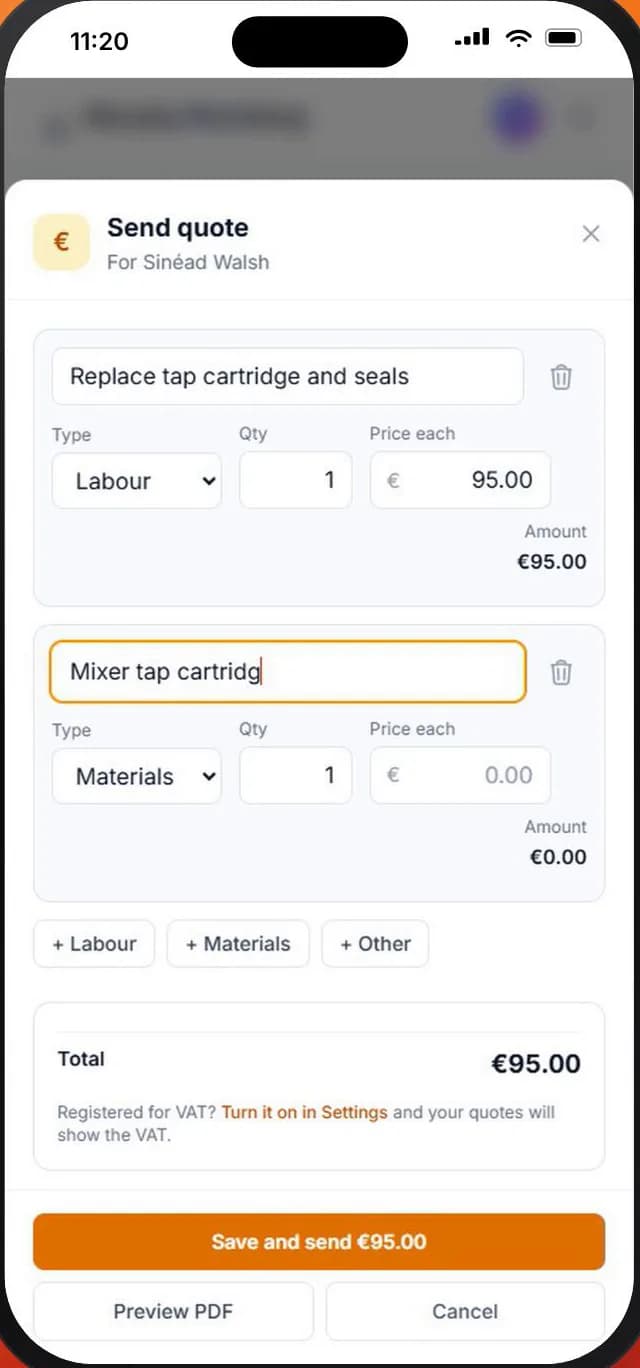
Quote it from the job
Open the job and send the quote: labour, materials and the total, out by email as a PDF. When the customer says go ahead, tap Customer Accepted.
- Built from the job, nothing to retype
- Preview the PDF before it goes
- Accepted jobs move along on their own
quote → sent → accepted
Stage 4 · Booked in
Book it in and send the right person
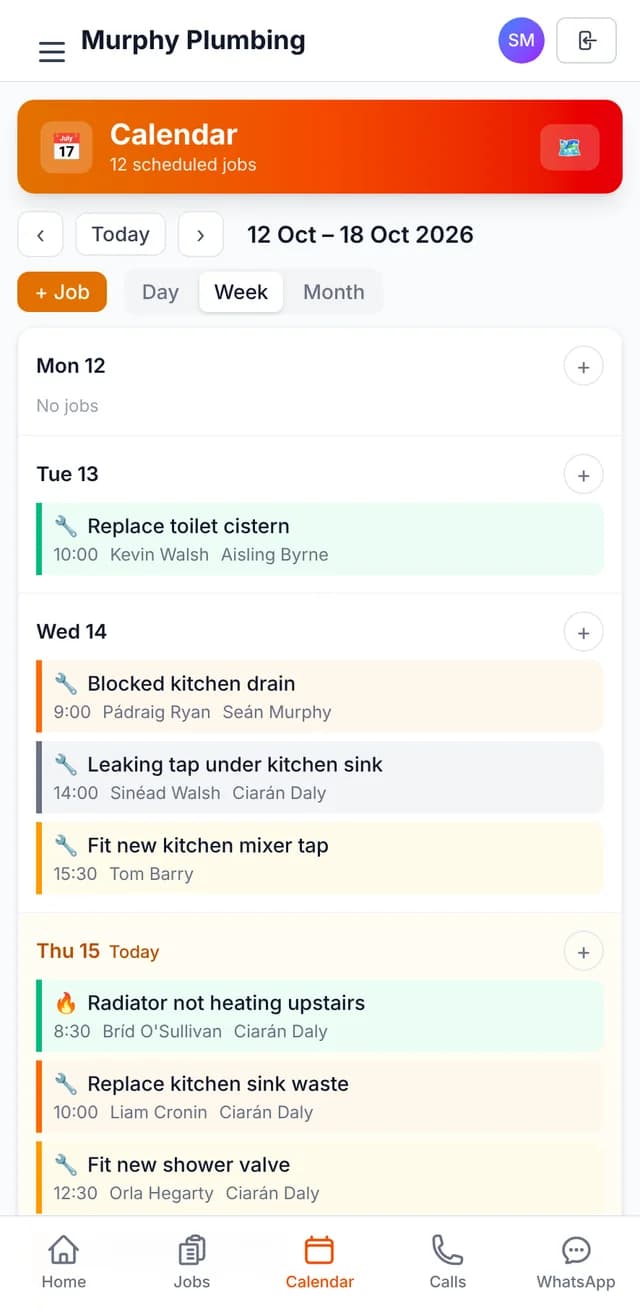
Pick the day, morning, afternoon or evening, and who’s going. It lands on the calendar, and Optimise Route puts the day’s jobs in a sensible order.
- Day, week and month views
- The nearest technician is suggested
- Unlimited users, no per-user fees
schedule → calendar → route
Stage 5 · On site
Do the job, with the app on your phone
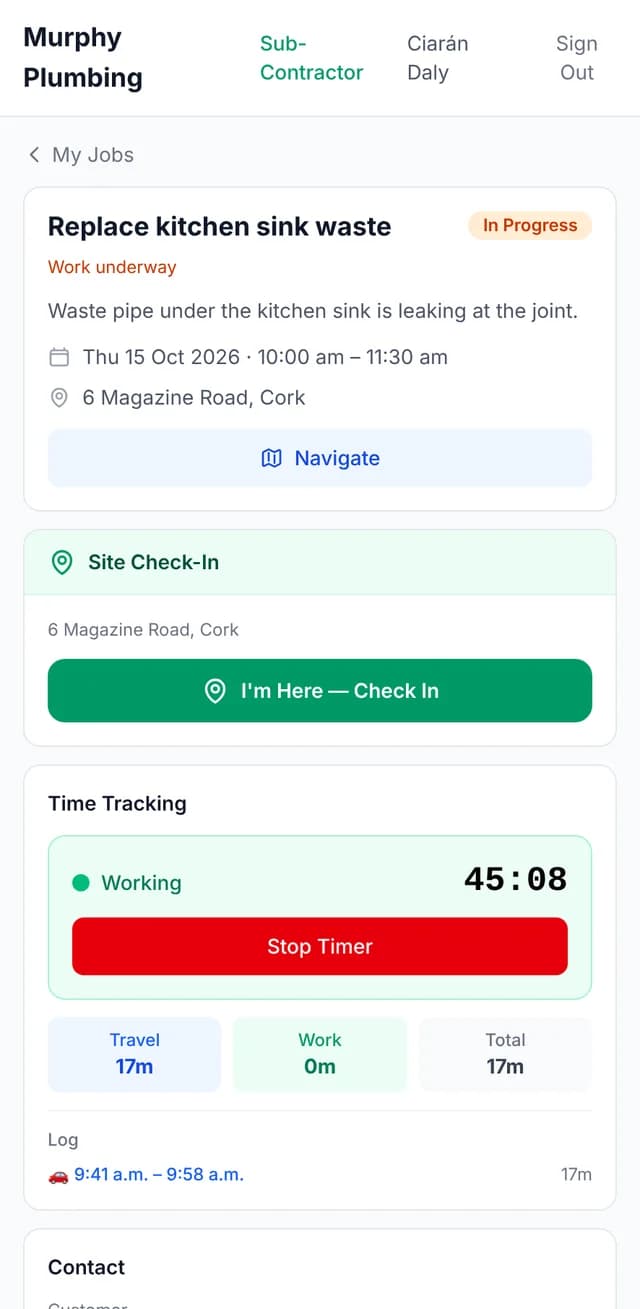
Your team checks in at the site with Ringvox Field, the timer runs while they work, and materials, notes and photos go on the job as they go.
- GPS check-in and a work timer
- Materials, notes and photos on the job
- Works with no signal, no wifi, no 5G
check in → timer → job finished
Stage 6 · Paid
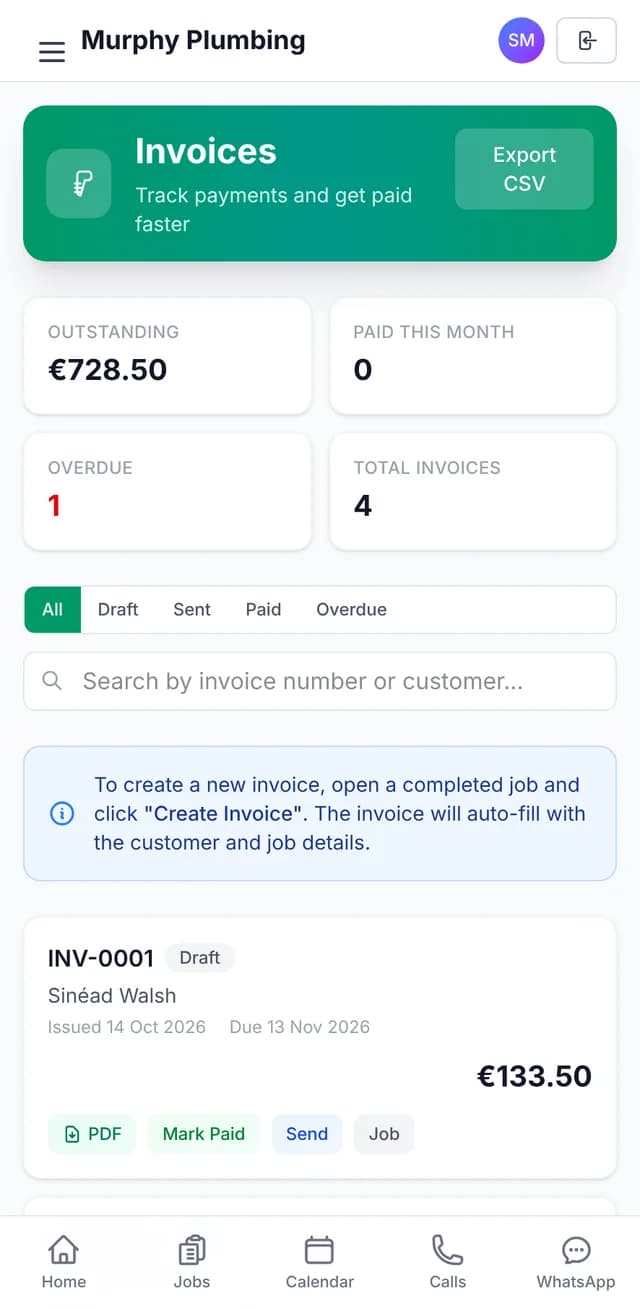
Invoice it and get paid
Create the invoice from the finished job and it fills itself in. It goes by email as a numbered PDF, and you mark it paid when the money lands.
- See what’s outstanding and overdue
- Mark it paid: cash, bank transfer, card or other
- Job costing shows what each job made
invoice → sent → paid
- Stage 1: The call (showing)
- Stage 2: The job
- Stage 3: The quote
- Stage 4: Booked in
- Stage 5: On site
- Stage 6: Paid
The call
Job done. Paperwork done too.
Next time the phone rings, it gets answered.
€59 a month plus VAT, everything included. No contract, and a 14-day free trial.